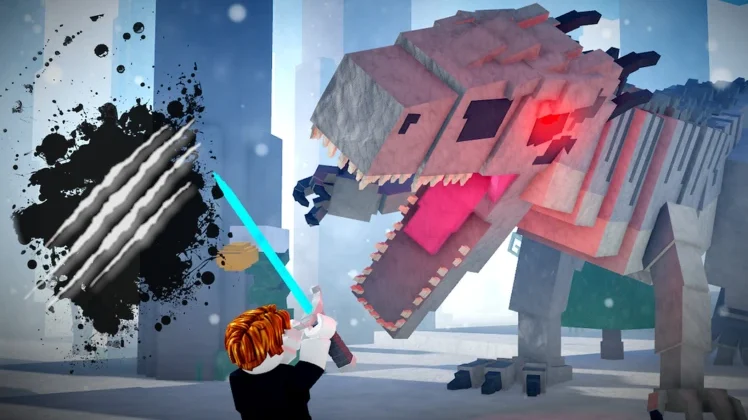
Dino World drops you into a prehistoric sandbox where you hatch, raise and ride dinosaurs of your own. You dig up fossils, refine crude oil, unlock new species and race your favourites against other players — and every upgrade chain in the game runs on the same two resources, so a healthy stockpile makes everything faster.
That is exactly what codes are for: the developers hand out Fossils, Crude Oil and Golden Race Tickets through them, usually when a new dinosaur or game mode lands. Below you will find every working Dino World code, the expired list, the exact redeem steps, and where new codes show up first.
All New Dino World Codes
- Global^3: 250 Fossils (==NEW==)
- FreeGoldenRaceTicket: 3 Golden Race Tickets (==NEW==)
- 2.2Mvisits+: 250 Fossils and 50 Crude Oil (==NEW==)
- Carnotaurus: 250 Fossils and 50 Crude Oil (==NEW==)
- Brachiosaurus: 250 Fossils and 50 Crude Oil (==NEW==)
Tip: Redeem these sooner rather than later, because Dino World codes tied to visit milestones and new-dino launches tend to vanish without any announcement. Check back here whenever the game updates, since that is when fresh codes usually appear.
Expired Dino World Codes
The codes below have stopped working, so skip them and save yourself the effort:
- DNA
- 1.9Mvisits
- 5.8Klikes
- 14Kfav
- Sorry4DelAY
- NewGamemode
- HolySixSeven
- FixBug
- Leveling
- ComputerUpgrade
- Brian
- LoadBad
- NewFurnace
- Gigan
- DinoWorldProMax
- SorryForDelayUPD
- SorryForShutdown
- ThisGameGrowOffline
- RELEASE
- rejoin=dino
How to Redeem Dino World Codes
One thing first: Dino World will not accept any code until you have joined the Dino Dast community on Roblox, so do that before you start. After that, redeeming takes seconds:
- Launch Dino World on Roblox.
- Click on the Codes button (the present icon) on the left side of the screen.
- Type a working code into the text box.
- Click on the Claim button to collect your rewards.
How to Get More Dino World Codes
The surest way to catch new codes early is to join the official Dino World Discord server, where fresh codes are posted alongside update news and race events. It also helps to join the Dino Dast community on Roblox, which you need for redeeming anyway. And of course, bookmark this page — we refresh the list whenever a new code drops, so you will always have the latest working codes in one place.
Why Are My Dino World Codes Not Working?
If a Dino World code refuses to go through, one of these three causes is almost always to blame:
Double-Check for Typos: Codes in this game are case-sensitive, and a single wrong character is enough to break them — several codes here contain symbols like ^ and +, which are easy to mistype. Rather than typing codes out by hand, copy and paste them straight from the list above so every letter lands exactly as intended.
You Have Not Joined the Community: Codes will not redeem until your account is a member of the Dino Dast Roblox community. If a code fails on a fresh account, join the community first, rejoin the game, and try again.
The Code Has Expired: Developers retire codes quietly all the time, and Dino World’s milestone codes are switched off as newer milestones replace them. If a code still fails after you have checked the spelling and joined the community, it has most likely expired. Stick to the active list above — everything on it is confirmed working.
More Roblox Codes You Should Check Out
Conclusion
That wraps up the current Dino World codes. Claim the Fossils and race tickets while they are still live, put the Crude Oil toward your next hatch, and check back after the next update — we will add new codes here as soon as they drop.
Leave a Reply