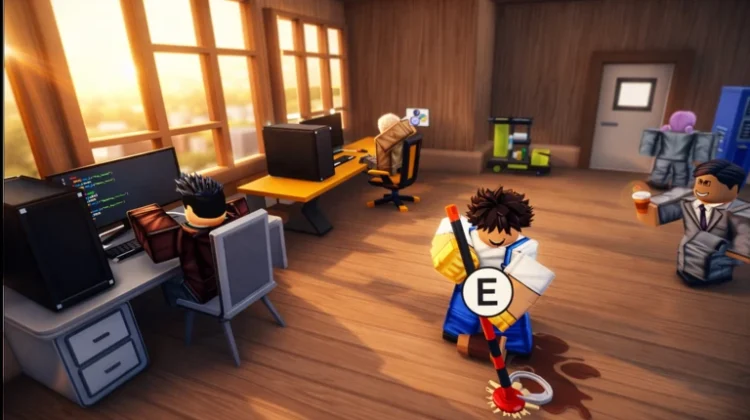
If you have gone looking for Coding Simulator 2 lately and landed somewhere unexpected, you are in the right place: the game launched under that name, spent time as Code a Business, and today it is called My Coding Company. Whatever the sign over the door says, the game underneath is the same — you develop apps, mine crypto, hire employees, and grow a scrappy coding hobby into a full tech company.
Diamonds drive the best hires and upgrades, and codes are the fastest way to get them without the early grind. The three verified codes below pay out diamonds, a bronze employee pack, and a matching set of top-tier potions. One important quirk before you start: this game only accepts codes from members of the developers’ Roblox group, so join that first — the details are in the redeem steps.
All New My Coding Company Codes
- 1mvisits: 5,000 Diamonds and 1 Bronze Employee Pack (==NEW==)
- 500kvisits: 1x Cash Potion 3, 1x Diamonds Potion 3, 1x Mining Luck Potion 3, and 1x NFT Luck Potion 3
- 1000diamonds: 1,000 Diamonds
Short list, strong payouts: 6,000 diamonds across two codes will carry your first proper hiring round, and the potion set from 500kvisits speeds up cash, diamonds, mining, and NFT luck all at once. Save those potions for a long session rather than a quick login — their boosts are time-based, so you want to be actively building while they run.
Expired My Coding Company Codes
There are no expired codes to list yet.
How to Redeem My Coding Company Codes
Before you start, join the RoDark Studios group on Roblox — the game will not accept codes from anyone outside the group.
- Launch My Coding Company on Roblox.
- Click the Buy button on the side of the screen (or head to the Shops building and hold E at the NPC with the verify mark).
- Find the ‘Enter Codes’ box at the bottom of the menu.
- Type or paste a working code into the box.
- Click Submit to claim your diamonds and potions.
How to Get More My Coding Company Codes
RoDark Studios releases codes to mark visit milestones — both of the milestone codes above followed that pattern — and announces them on the game’s Roblox page whenever a new one goes live. Since the game has changed names twice, searching under its newest title, My Coding Company, is the way to find current information rather than the older Coding Simulator 2 name.
Milestone codes can sit quietly for a while and then retire when the next one lands. Bookmark this page and check back regularly — we keep the list above verified and will add the next milestone code as soon as it is confirmed.
Why Are My My Coding Company Codes Not Working?
Double-Check for Typos: The game itself flags mistakes bluntly — enter a code wrongly and it answers with an “Invalid” message. Codes are case-sensitive, so copy the exact spelling from the list above instead of typing from memory.
The Code Has Expired: Visit-milestone codes are retired once the next milestone takes over, and with so few codes in this game each one matters. If a code you found under the old Coding Simulator 2 or Code a Business names no longer works, it has been retired — the active list above is the current verified set.
Join the RoDark Studios Group First: This is the most common reason codes fail here: the game only accepts redemptions from members of the RoDark Studios Roblox group. If every code is rejected, check your group membership, join the group, and try again — the same codes should then go through.
More Roblox Codes You Should Check Out
- My Anime Mine Codes
- My Boba Store Codes
- My Dino Park Codes
- My Grass Farm Codes
- My Hello Kitty Cafe Codes
Conclusion
Three codes, 6,000 diamonds, a bronze employee pack, and a full set of top-tier potions — a small list with an outsized effect on a young company. Join the RoDark Studios group, redeem all three, and spend the potions on a long building session. Then check back at the next visit milestone, because that is when this game likes to pay out again.
Leave a Reply