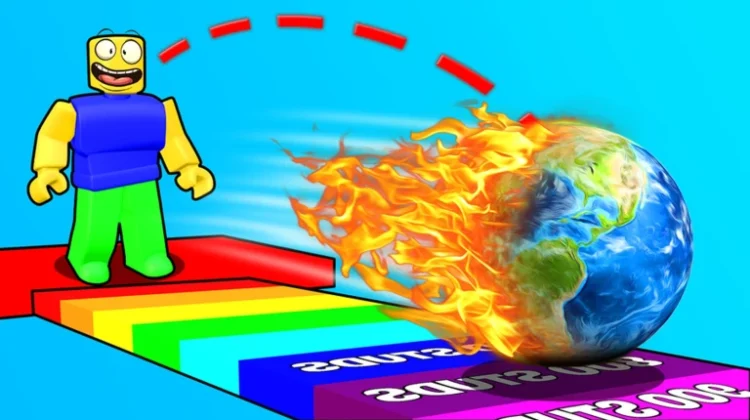
Throwing Simulator has one of the purest loops on Roblox: pick up an object, hurl it as far as physics and your strength stat allow, get paid based on the distance, and reinvest in training so the next throw goes further. It sounds simple, and it is — right up until you’re measuring throws against the leaderboard and squeezing out every last metre.
The economy runs on potions and Enchant Gems. Luck, Money, and Strength potions temporarily crank up your earnings and power, while Enchant Gems upgrade your gear in ways that stick around. Codes are the free supply of both: each update in this game ships with a code named after it, and the current ones follow that pattern exactly. Only three codes could be verified as still working across multiple current trackers, and they’re the three listed here.
All New Throwing Simulator Codes
- update10: Luck Potion II, Strength Potion II, Money Potion II, and 5 Enchant Gems (==NEW==)
- update8: Strength Potion II, Money Potion II, Luck Potion II, and 5 Enchant Gems
- 20m: Free rewards
One tactical note: the potions from these codes don’t activate themselves. They sit in your inventory until you tap them, and the boost runs on a timer — so redeem everything now, but only drink a potion right before a serious throwing session, when every boosted throw is actually earning you distance and cash.
Expired Throwing Simulator Codes
Three of the game’s earliest codes have stopped working completely:
- 1mevent
- update1
- RELEASE
How to Redeem Throwing Simulator Codes
- Launch Throwing Simulator on Roblox.
- Click the Shop icon.
- Scroll all the way down the shop to find the Codes option at the very bottom.
- Type a working code into the Enter Code box.
- Click Redeem to collect your potions and gems.
How to Get More Throwing Simulator Codes
Codes in this game are tied to its update cycle so predictably that you can almost set a watch by them — when a numbered update or a community milestone lands, a code with a matching name usually follows within days. The developers share them through the game’s Roblox page and the HoiAndBai Studio community group. Because old codes quietly stop working as new updates replace them, the safest habit is to save this page and check it whenever an update drops; we keep only the codes that multiple current trackers still show as working.
Why Are My Throwing Simulator Codes Not Working?
Double-Check for Typos: Every Throwing Simulator code is lowercase, and the pattern matters — update10 works, Update10 doesn’t. Copy and paste from the list above rather than relying on the on-screen keyboard.
The Code Has Expired: Older update codes get switched off as the game moves on, and the developers don’t announce expiries. If a code from the active list fails, it has likely been retired since the last verification sweep.
The Code Just Dropped and Your Server Is Behind: Codes land alongside weekly updates, and a server still running the previous version of the game may not recognise a brand-new code yet. Wait a few minutes, rejoin on a fresh server, and try again — this fixes most ‘invalid code’ surprises right after an update.
More Roblox Codes You Should Check Out
- Anime Anexus Simulator Codes
- Anime Astral Simulator Codes
- Anime Fighters Simulator Codes
- Anime Fighting Simulator Codes
- Anime Storm Simulator Codes
Conclusion
Throwing Simulator’s code list is short right now, but update10 alone covers you for potions and gems in one hit. Redeem all three, save the potions for when they count, and swing back when the next numbered update brings its inevitable matching code.
Leave a Reply