Minecraft Command Blocks: How They Work and the Three Types
The hidden block behind every great adventure map: command blocks run the game's own commands on a redstone signal. Here is how operators get one and what impulse, chain and repeating each do.
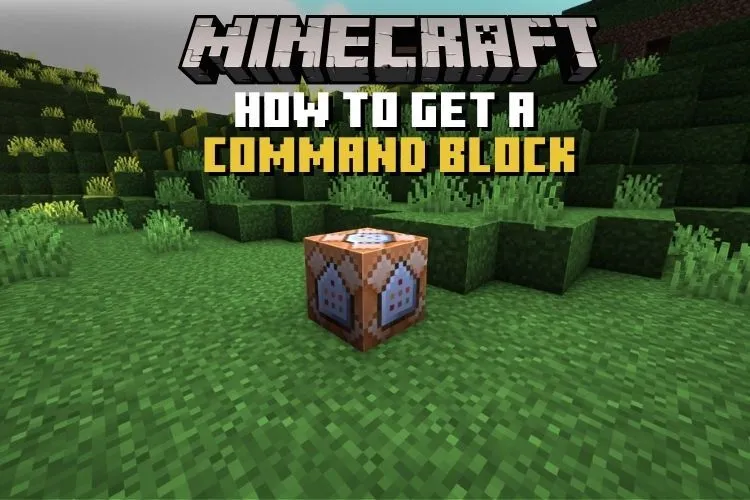
The hidden block behind every great adventure map: command blocks run the game's own commands on a redstone signal. Here is how operators get one and what impulse, chain and repeating each do.
A command block is a creative-mode block that runs a typed command automatically whenever it receives a redstone signal — or constantly, if you set it that way — which makes it the engine behind adventure maps, minigames and most server tricks. You cannot craft one or find one in the world: a player with operator permissions has to summon it with a give command, and only players in creative mode with the right permissions can open it and change what it says.
How do you get a command block?
Because it never appears in the creative inventory, the command block is obtained by typing a give command in chat, which requires cheats to be enabled and, on a server, operator status. That deliberate awkwardness is a security feature: a survival player should never be able to place a block that teleports people, hands out items or changes the weather at the flick of a lever. Once placed, only creative-mode operators can edit the block's contents, even though any player can walk up and press a button wired to it.
What are the three types of command block?
- Impulse (orange) — the standard block. It runs its command once each time it is triggered by a redstone signal.
- Repeating (purple) — runs its command over and over, every game tick, for as long as it stays powered or set to always active. Powerful, and the easiest way to lag a world if used carelessly.
- Chain (green) — does nothing on its own. It fires when a command block pointing into it runs, letting you string long sequences of commands together in a precise order.
Inside the editing screen you can also set a block to need redstone or to be always active, and toggle whether its previous output is stored — small settings that matter a great deal in big contraptions.
What do people actually build with command blocks?
Almost every polished multiplayer experience you have seen leans on them somewhere: teleport hubs and checkpoint systems in adventure maps, custom shop menus, boss fights with staged dialogue and effects, parkour courses that reset you when you fall, and server lobbies that hand out starter kits. They are also superb teaching tools — a command block that changes the time when you step on a pressure plate is often a player's first taste of how games are scripted underneath.
Do command blocks work the same on Java and Bedrock Edition?
The three types and the general idea exist in both, and map-makers on either edition use the same vocabulary of impulse, chain and repeat. The command syntax itself differs between editions in places, though, so a command copied from a Java tutorial may need adjusting before it runs on Bedrock Edition — and vice versa. Both editions also require command blocks to be enabled on a server before placed blocks will actually execute, which catches out plenty of new server owners.
What commands do people put inside them?
Anything typed into a command block is a normal game command, just one that runs itself. Teleport commands are the workhorse — they move players between a map's rooms, checkpoints and arenas. Close behind come commands that give or clear items, set the time or weather, play sounds, display titles on screen, and summon creatures at dramatic moments. Target selectors do the clever part: symbols like @p and @a let a block aim its command at the nearest player or everyone on the server, so the same block behaves personally for whoever triggers it. Beginners often start with a simple time-set or teleport block wired to a pressure plate; the syntax is forgiving, the feedback is instant, and failed commands show their error in the block's output line, which makes experimenting genuinely painless.
Why can't survival players use command blocks?
Because a single command block can do anything the game's console can do — give items, teleport players, change game rules, summon bosses — giving survival players access would dissolve the rules of survival entirely. Keeping them behind operator permissions and creative mode is what lets server owners and map-makers trust them: players can enjoy what the blocks do without ever touching how they work.
Frequently Asked Questions
How do you get a command block in Minecraft?
It is not in the creative inventory and cannot be crafted. A player with cheats enabled and operator permissions must summon it using a give command in chat.
What is the difference between impulse, chain and repeating command blocks?
Impulse runs once per redstone trigger, repeating runs continuously while active, and chain blocks fire in sequence when the command block pointing into them runs.
Can you use command blocks in survival mode?
No. Only players in creative mode with operator permissions can place or edit them, although anyone can trigger one that is wired to a button or pressure plate.
Do command blocks work on servers?
Yes, but a server setting must enable them first, and only operators can edit them. They power most minigames, lobbies and adventure-map mechanics on multiplayer servers.