The /fill Command in Minecraft: Regions, Modes and Safe Use
/fill places or clears thousands of blocks between two corners in a single command. Learn the basic pattern, what hollow, outline, keep and replace do, and how to avoid the classic no-undo disaster.
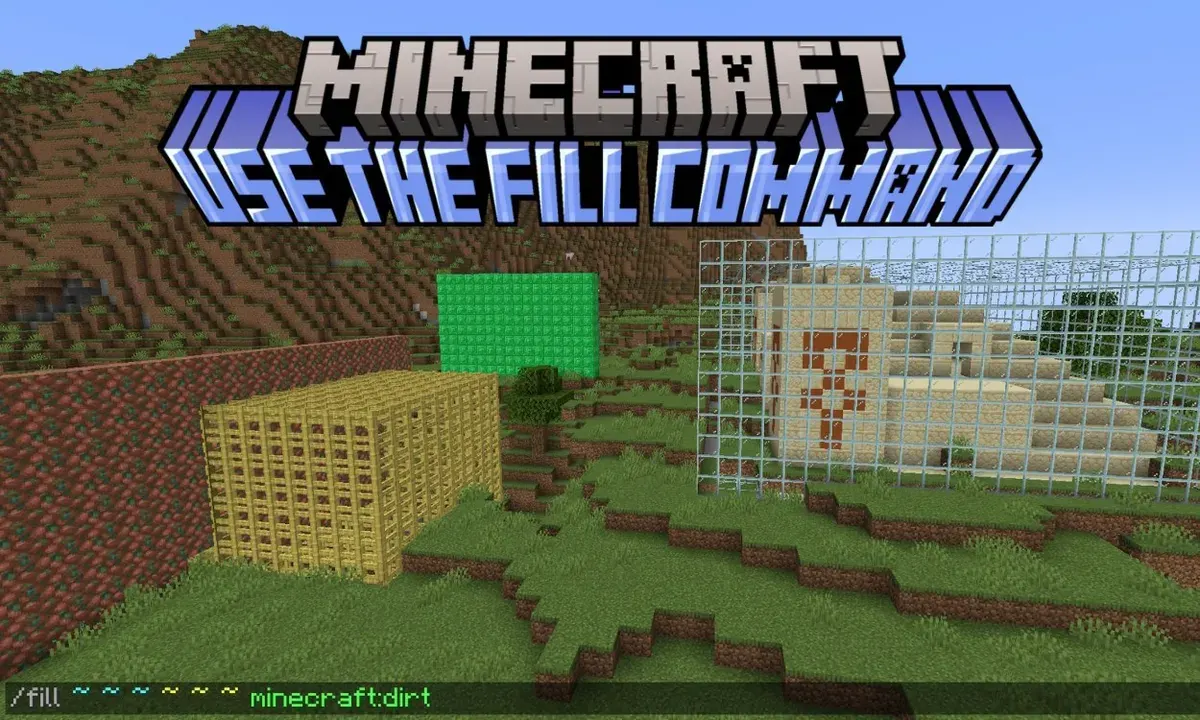
/fill places or clears thousands of blocks between two corners in a single command. Learn the basic pattern, what hollow, outline, keep and replace do, and how to avoid the classic no-undo disaster.
The /fill command lets you place, replace or clear blocks across a whole box-shaped region in one go. Instead of setting blocks one at a time, you give the game two opposite corners and a block type, and it fills everything in between. It is the fastest way to flatten a building plot, raise a wall or drain a pond.
What do you need to know before typing /fill?
Three things: the co-ordinates of one corner, the co-ordinates of the opposite corner, and the name of the block you want. The two corners can be any pair that sit diagonally across the space — bottom north-west and top south-east, for example — because the game works out the box from the lowest and highest value on each axis. You will usually stand at one corner, note its position, then fly or walk to the other and note that too.
Java players can read co-ordinates from the debug screen, while Bedrock players can turn on 'Show Co-ordinates' in the world settings. Block names matter as well: the command expects the game's internal names, which are close to the display names but written without spaces. Chat suggestions help a lot here, so type slowly and let the game finish the word for you.
How is a basic /fill command put together?
The pattern is /fill x1 y1 z1 x2 y2 z2 block. The first three numbers are one corner, the next three are the opposite corner, and the block at the end is what fills the space. Run it with stone and you get a solid stone block; run it with air and you carve the whole region away, which is how most players flatten land or dig out basements.
Relative co-ordinates using the tilde symbol are worth learning once the basics feel comfortable. They let you describe the region from where you are standing rather than from fixed map positions, which makes commands easier to reuse at different build sites. A command that clears a patch of ground in front of you, for example, can be pasted anywhere in the world and still work.
What do the fill modes like hollow and replace do?
Adding a mode word after the block changes how the box is treated. replace is the default behaviour and simply swaps everything in the region for your chosen block. The hollow mode fills only the outer shell and leaves the inside empty, which is perfect for instant rooms, towers and hollow monuments; outline goes one step further and keeps even the blocks already inside untouched, changing only the skin.
Two more modes are handy to know. keep places your block only where there is currently air, so you can add detail without burying existing work, and destroy breaks the old blocks as if a player had mined them, dropping items where the game normally would. You can also pair the standard command with a filter, telling it to replace one named block only — the classic way to turn a stone wall into brick without disturbing anything around it.
How big an area can /fill handle?
The region has to be modest by Minecraft standards: fills are capped at tens of thousands of blocks at once, and the precise cap has shifted between editions and versions over the years. In practice the limit is generous for houses, gardens and arenas, but far too small for reshaping a whole landscape in a single command.
The target area also needs to be loaded. Commands cannot edit chunks the game has not generated and loaded around a player, so stand in the middle of your build site before running a large fill. If half the box sits in unloaded land, you will get an error or a half-finished result, and it is much easier to prevent that than to clean it up.
What are the most common /fill mistakes?
The biggest one is discovering there is no undo button. A fill is instant and, short of restoring a backup, irreversible, so the golden rule is to test on a copy of the world or in a scratch Creative world first. A single transposed digit can move a wall by a hundred blocks, and filling with air at the wrong height has deleted many proud castles.
Filling with fluids deserves special care. Water and lava placed by command obey the usual flowing rules once the game updates them, and a careless lava fill above a wooden village is exactly as disastrous as it sounds. Finally, remember that replacing ground blocks under chests, redstone or farms destroys the machinery even when the room survives, so clear valuables and delicate wiring out of the region before you start.
What is /fill best used for in real builds?
Most players reach for it for the boring jobs: levelling terrain, digging rectangular basements, raising perimeter walls, draining a swampy patch or laying a road. It also shines in creative work — hollowing a mountain for a hidden base, outlining a glass dome frame, or swapping a floor from oak to a patterned mix one matching block at a time.
Think of /fill as power tools rather than cheating. It removes the repetitive placement so you can spend your time on the decisions that make a build yours: the shape, the materials and the details no command can choose for you.
Frequently Asked Questions
What does the /fill command do?
It fills a box-shaped region between two sets of co-ordinates with a block you choose. Filling with air clears the region, which makes it the standard tool for flattening land and digging out rooms.
How do I make a hollow building with /fill?
Add the word hollow after the block name. The command then fills only the outer shell of the region and empties the inside, giving you a room or tower in one step.
Can I undo a /fill command?
There is no undo. A mistaken fill can only be fixed by hand or by restoring a backup, which is why you should test big commands on a copy of the world first.
Why did my /fill command fail?
The usual causes are a region larger than the game's limit, a block name the game does not recognise, or part of the area sitting in chunks that are not loaded. Stand near the build site and check the spelling the chat suggests.