Minecraft Game Modes Explained: Survival, Creative, Adventure, Spectator and Hardcore
Five modes, five very different games — what each one allows, who it suits, and why difficulty is a completely separate setting.
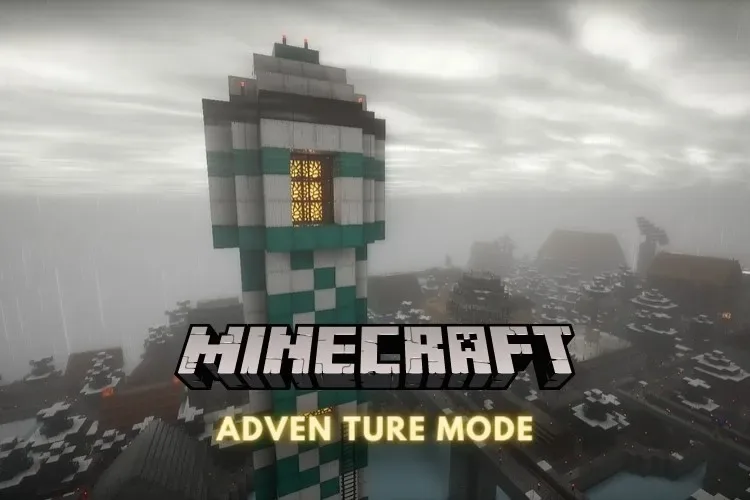
Five modes, five very different games — what each one allows, who it suits, and why difficulty is a completely separate setting.
Minecraft has five game modes, and they change the rules of the world far more than most settings do. Survival is the full game of gathering, hunger and danger; Creative hands you unlimited blocks and flight; Adventure locks the world down for playing custom maps; Spectator lets you drift through everything as a ghost; and Hardcore gives you exactly one life. Knowing which mode you are in — and how difficulty is a separate choice entirely — explains most of the confusing moments new players run into.
How does Survival mode work?
Survival is the standard experience and the one most people mean when they talk about playing Minecraft. You have health and hunger, you gather every block yourself, tools wear out, monsters come out at night, and dying drops your items where you fell — though you respawn and can go back for them if you are quick. It suits anyone who enjoys progression, mild jeopardy and the satisfaction of a world that pushes back a little. For a first ever playthrough, Survival on an easier difficulty is the gentlest honest introduction to the game.
What makes Creative mode different?
Creative removes the friction. Your inventory becomes a catalogue of effectively every block and item in the game, in unlimited quantities. You cannot take damage, hunger does not exist, double-tapping jump lets you fly, and a single hit breaks any block — including, be warned, blocks you only meant to look at. Creative is where players design buildings before committing to them in Survival, test redstone contraptions without farming the parts, and build enormous projects that would take months to resource honestly. It suits builders, experimenters and younger players who want to play with the toy box rather than the challenge. Nothing about it is cheating; it is simply a different game sharing the same world.
Who is Adventure mode actually for?
Adventure mode exists mainly for custom maps made by other players. It looks like Survival — health, hunger, damage — but with a crucial restriction: you cannot break or place blocks freely. You can only interact with the world in the ways the map's creator intended, using tools they have specifically allowed for specific blocks. If you have downloaded a puzzle map, a parkour course or a story adventure and the instructions say to play it in Adventure mode, this is why — it stops players digging through the puzzle's walls. Playing ordinary self-made worlds in Adventure is usually frustrating, so most people only meet it inside downloaded maps.
What can you do in Spectator mode?
Spectator turns you into a camera. You fly freely, pass straight through blocks and creatures, and are invisible to other players and mobs. You cannot pick things up, take damage in any normal sense, or change the world. It is genuinely useful: exploring cave systems to see how they connect, watching a redstone machine run from inside its walls, or filming. On Java you can even click on a creature to see the world through its eyes, which is equal parts fascinating and unsettling. Spectator suits map-makers checking their work and anyone who wants to understand a world without disturbing it.
Why is Hardcore more than just a hard setting?
Hardcore is Survival with the stakes permanently raised. The difficulty is locked to Hard, and you have one life. On Java Edition, when you die the world itself is deleted — your only options are to spectate the world you lost or remove it for good. Years of building can end with one creeper, which is exactly the appeal for the players who choose it. On Bedrock, Hardcore arrived as its own world option with the same one-life principle. It suits experienced players who find normal Survival too forgiving and want every cave trip to carry real tension. Hardcore is chosen when the world is created, not switched on later.
Are difficulty and game mode the same thing?
No, and mixing them up causes real confusion. Difficulty — Peaceful, Easy, Normal and Hard — is a separate setting that controls things like whether hostile mobs spawn, how much damage they deal and how punishing hunger is. Peaceful, for instance, removes hostile mobs entirely while you stay in Survival, which makes it a lovely option for relaxed gathering and building with survival mechanics intact. Game mode decides what kind of player you are in the world; difficulty decides how hostile the world is back. You can pair most combinations: Creative on Hard, Survival on Peaceful, and so on — Hardcore being the exception that forces Hard.
How do you switch modes in an existing world?
If cheats are enabled for the world, the chat command /gamemode followed by the mode name — survival, creative, adventure or spectator — switches you instantly. On Java, pressing F3 and F4 together also cycles through modes in worlds where you have permission. In a single-player world created without cheats, Java players can use the "Open to LAN" trick and temporarily allow cheats for that session. On multiplayer servers, only operators can change modes, and they can set yours for you. Plenty of players keep a Survival world honest for months, flip to Creative for one awkward repair, and flip straight back.
Frequently Asked Questions
What is the difference between Hardcore and Hard difficulty?
Hard is a difficulty setting that makes mobs hit harder. Hardcore is a separate game mode: it locks difficulty to Hard and gives you one life — on Java, dying deletes the world entirely. You choose Hardcore when creating the world.
Can you switch from Survival to Creative in the same world?
Yes, if cheats are enabled. Use the command /gamemode creative in chat, or on Java press F3 and F4 together to cycle modes. If the world was created without cheats, opening it to LAN with cheats allowed works for that session.
Does Peaceful difficulty change your game mode?
No. Difficulty and game mode are separate settings. You can play Survival on Peaceful, which keeps hunger and gathering but removes hostile mobs — a popular relaxed way to play that is often confused with Creative mode.
Why can't you break blocks in Adventure mode?
That restriction is the point of the mode. Adventure is designed for custom maps, where the creator controls what you may break or place so you cannot dig through puzzle walls. It is rarely enjoyable in an ordinary self-made world.