Keep Inventory in Minecraft: The Gamerule Command Explained
Keep inventory stops death from scattering your gear across the world. Here is the gamerule command for Java and Bedrock, what it does and does not protect, and the Bedrock achievements catch.
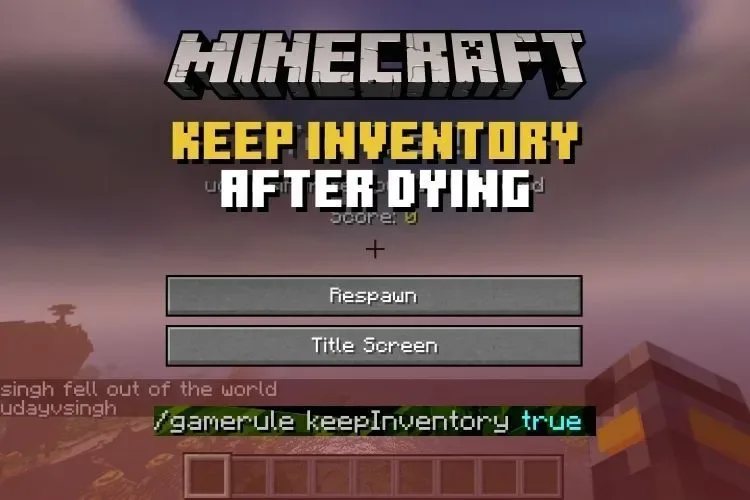
Keep inventory stops death from scattering your gear across the world. Here is the gamerule command for Java and Bedrock, what it does and does not protect, and the Bedrock achievements catch.
Keep inventory is a gamerule that decides what happens to your gear when you die: switch it on with the command /gamerule keepInventory true and a death costs you nothing but the walk back, because your items and experience stay with you. It is available in both Java and Bedrock, though the two editions treat the surrounding rules — cheats and achievements — rather differently.
What does keepInventory actually change?
Normally, dying scatters your inventory across the ground as loose items, where it sits on a timer before despawning, and a chunk of your experience drops as orbs. With keepInventory set to true, none of that happens. You respawn wearing and carrying everything you had: armour, tools, hotbar, offhand and all. Your experience stays intact as well, rather than leaking away on the cave floor.
Everything else about death still applies. You still die — the rule is not god mode. You still respawn at your bed or the world spawn, still lose the food in your stomach, and still have to trek back to wherever you fell. One exception worth knowing: items cursed with Curse of Vanishing live up to their name and are destroyed on death even with keep inventory on, so that too-good-to-loot helmet remains a gamble.
How do you turn it on in Java Edition?
Use the command in chat: /gamerule keepInventory true. Running commands requires cheats to be allowed in the world — enabled when the world was created, or temporarily switched on by opening the world to LAN with cheats allowed. On a server, you need operator status, or access to the server console. Gamerules can also be set from the world creation screens before you ever spawn, which is the tidiest route for a fresh survival world you intend to play gently.
To switch the rule back off, the same command with the opposite value: /gamerule keepInventory false. The change is instant and applies to the whole world, not just to you.
How do you turn it on in Bedrock Edition?
The command is identical — /gamerule keepInventory true — but Bedrock wraps it in a bigger decision. Commands require cheats to be activated in the world settings, and turning cheats on disables achievements for that world permanently; even if you later turn cheats off again, achievements do not come back for that save. The setting itself can be flipped in the world options before loading in, or the command can be typed in chat once cheats are active.
That trade is why many Bedrock players keep a separate, cheats-on world for relaxed building and leave their achievement world strictly vanilla. If achievements matter to you, decide before you flip the switch, not after.
When is keep inventory a good idea?
Plenty of honest playstyles suit it. It suits builders working high above the ground, explorers who roam thousands of blocks from home, younger players, relaxed co-op worlds where the fun is in the projects rather than the peril, and anyone whose limited play time would be eaten entirely by corpse runs. On multiplayer servers it is a common quality-of-life choice, set by the admin, so everyone on the server shares the same forgiving rules.
The cost is stakes. Death without loss changes how the game feels: lava becomes an inconvenience, the Nether loses some of its menace, and careful preparation matters less. Many players land in the middle — keep inventory on for a building-focused world, off for a survival run where they want the danger to mean something. Neither is the wrong way to play; the rule exists so the world can be tuned to the people in it.
Who can change it, and does it apply to everyone?
Only someone with permission — the world owner, a server operator or whoever holds the console. It is a world rule, not a personal preference, so there is no way for one player on a server to quietly keep their inventory while everyone else plays by the old rules. Changes take effect immediately for the next death; they do not restore anything lost before the rule was switched on, sadly. If you are joining a friend's world or a public server, a quick test death in a safe place — somewhere embarrassing and lava-free — will tell you which way the world is set.
Frequently Asked Questions
What is the keep inventory command in Minecraft?
The command is /gamerule keepInventory true. Run it in a world where you can use commands, or on a server as an operator, and players will keep their items and experience when they die.
Does keepInventory work in Bedrock Edition?
Yes, the same gamerule and command work in Bedrock. However, using commands requires cheats to be activated, and activating cheats permanently disables achievements for that world.
What do you lose when you die with keep inventory on?
You keep your items and experience, but you still respawn at your bed or world spawn and must travel back to where you died. Items with Curse of Vanishing are still destroyed on death.
How do you turn keep inventory off again?
Use the same command with the opposite value: /gamerule keepInventory false. The change takes effect immediately for the whole world.