Minecraft Mods Explained: What They Are and How to Use Them Safely
Mods can add new dimensions, machines and creatures to Java Edition, but they need the right loader and the right version. Here is how modding works and how to stay safe.
Mods can add new dimensions, machines and creatures to Java Edition, but they need the right loader and the right version. Here is how modding works and how to stay safe.
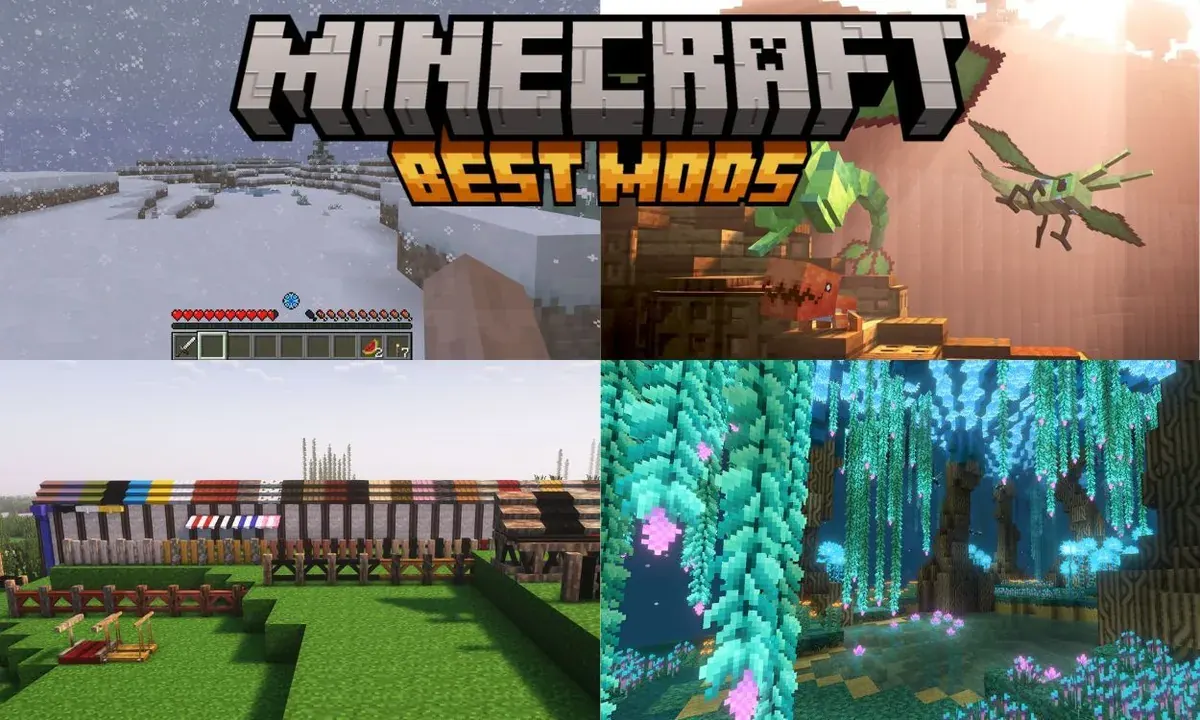
Minecraft mods are community-made add-ons that change or expand the Java Edition of the game, anything from a simple minimap to whole new dimensions, machines and magic systems. They are installed through a mod loader such as Forge, Fabric, NeoForge or Quilt, and the single most important rule is that the mod, the loader and your game version must all match.
What can a mod actually do?
Almost anything the game's code allows. Small quality-of-life mods add inventory sorting, waypoint markers or performance improvements. Big content mods introduce new biomes, bosses, technology trees and farming systems that can keep a world feeling fresh for months. Because Java Edition runs openly on your computer, modders can hook deeply into the game in a way that simply is not possible on consoles. That freedom is why Java remains the home of serious modding, more than a decade on.
What is a mod loader, and why do you need one?
A loader is the framework that sits between Minecraft and its mods, handling the messy work of loading code safely and letting mods talk to each other. Forge is the long-established option with the largest back catalogue, Fabric is lighter and updates quickly after new game versions, and NeoForge and Quilt are newer branches of the same idea. A mod built for one loader generally will not run on another, so check the loader named on the mod's page before downloading anything.
Why does version matching matter so much?
Minecraft's internal code changes with every update, and mods are written against one specific version. A mod made for an older release will usually refuse to load, or crash the game, on a newer one. This is why many modded players deliberately stay on a popular version where thousands of mods are available, rather than chasing the latest snapshot. When you build a modded setup, pick the game version first, then the loader build for that version, then mods released for both.
What is a modpack?
A modpack is a ready-made bundle of mods chosen to work together, often with tweaked recipes and quests to tie them into a theme — exploration, technology, magic or hardcore survival. Packs are a friendly way in, because somebody else has already done the compatibility testing. Launchers that manage packs also keep them in a separate installation, so your ordinary worlds stay untouched. If the idea of hand-picking two hundred mods sounds exhausting, start with a pack.
How do you stay safe when downloading mods?
- Download only from well-known mod hosting sites and the mod author's own pages.
- Never run an .exe file offered as a mod — genuine Java mods are .jar files.
- Back up your worlds before adding or removing large mods.
- Read recent comments; the community flags broken or suspicious uploads quickly.
- Keep your loader and mods updated from the same trusted source.
Do mods work on Bedrock or consoles?
Not in this form. Mods of the kind described here are a Java Edition, PC-only world, because they rely on running custom code. Bedrock players have add-ons and Marketplace content instead, which are more limited but officially supported. If modding is your main reason for playing, Java Edition on a computer is the version to own.
How does installing a mod work, in outline?
The shape of the process is the same whichever loader you choose. First you install the loader itself, which adds a new profile to the game's launcher. Then you run the game once so the loader creates its folders, and afterwards you place the mod files — plain .jar files — into the folder called mods. On the next launch, the loader picks them up. Many mods also depend on shared library mods or on the loader's own API, which the mod's page will list; missing dependencies are the most common reason a fresh install crashes on the title screen. Mod managers and pack launchers automate most of this, which is why beginners often start there. The golden rule throughout is simple: one change at a time, so when something breaks you know exactly what caused it.
It is also worth knowing that modding is entirely optional and entirely reversible. Remove the files from the mods folder and the game returns to its vanilla state, untouched, which makes experimenting far less risky than many new players expect.
Frequently Asked Questions
Are Minecraft mods free?
Almost all of them are. Mods are community projects given away free, and selling mods goes against the game's terms. Modpacks and launchers that organise them are free too.
What is the difference between Forge and Fabric?
Both are mod loaders, but they are separate frameworks. Forge has the largest library of big content mods, while Fabric is lighter and quicker to update. A mod made for one will not run on the other.
Can mods break your world?
They can if versions clash or a world-heavy mod is removed mid-game. Back up your worlds, match versions carefully, and remove mods from a copy first if you are unsure.
Do mods work in multiplayer?
Yes, if the server and every player run the same mods and versions. Many popular servers are modded, and modpacks are usually built with server files available.