Minecraft Resource Packs: How They Change Textures and Sounds
Resource packs reskin Minecraft's blocks, items and sounds without touching gameplay. Here is how resolution works, how packs stack, and how to switch them on.
Resource packs reskin Minecraft's blocks, items and sounds without touching gameplay. Here is how resolution works, how packs stack, and how to switch them on.
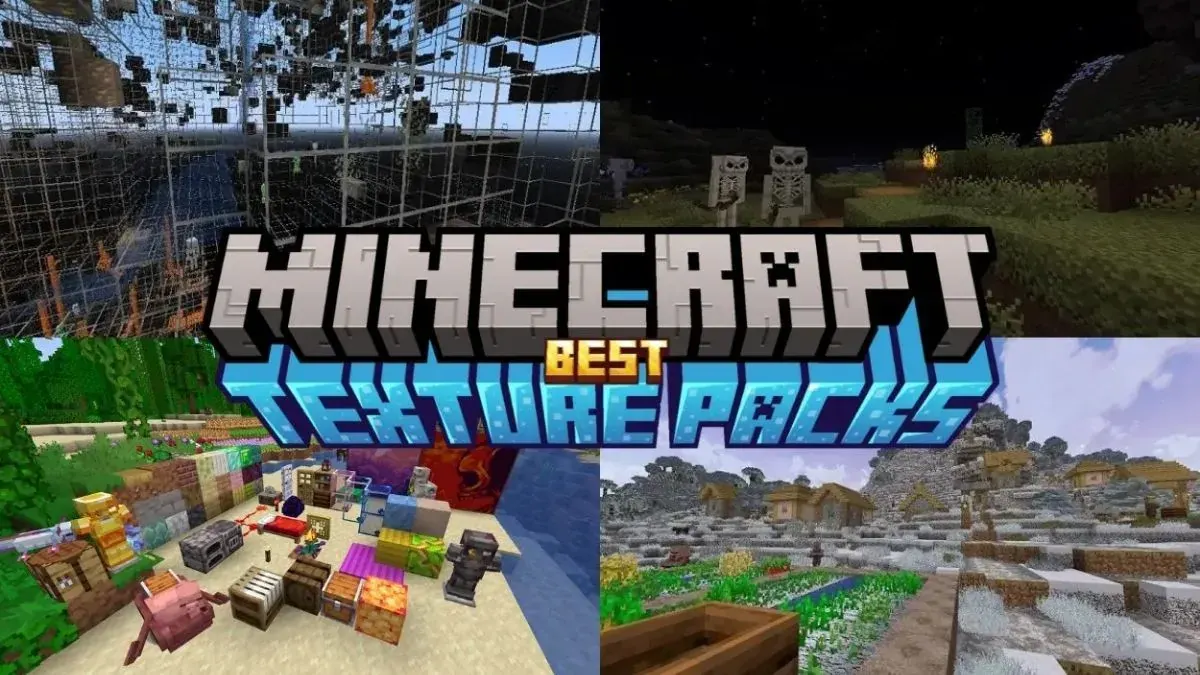
A resource pack is a bundle of replacement artwork and audio that changes how Minecraft looks and sounds — the texture of oak planks, the shape of a sword's icon, the music on the menu — while changing nothing about how the game plays. Packs are officially supported in both Java and Bedrock, can be switched on or off at any time, and never put your world at risk.
What can a resource pack change?
Almost every surface-level thing you see and hear. Block and item textures are the obvious part, but packs can also reskin mobs, repaint the sky, replace fonts and menus, swap sound effects and music, and — in Java Edition — use special features to give items different appearances based on their name or enchantments. A pack might make the world look medieval, cartoonish, ultra-clean or deliberately retro. Some packs are practical tools instead: clearer ore borders, lower fire on screen, or brighter potion colours for player-versus-player play.
What does resolution mean, and does it matter?
Minecraft's default textures are drawn on a tiny 16-by-16 pixel grid for each block face. Resource packs can keep that grid or scale it up — 32, 64, 128 pixels and beyond — for smoother, more detailed artwork. Higher is not automatically better: the charm of many packs is how much character they squeeze into the original 16 pixels, and very high resolutions demand more from your computer, especially with lots of animated textures. Treat resolution as an art-style choice with a performance price attached, not a quality ladder.
How do you activate a pack?
In Java Edition, pack files are dropped into the resourcepacks folder and then selected from the Resource Packs screen in the options menu, where they can be applied without restarting the game. Bedrock handles packs through its settings and storage screens in a similar spirit. In both cases the change is instant and fully reversible — remove the pack and the world looks exactly as it did before, because the pack never touched the save itself, only the pictures used to display it.
Can you use several packs at once?
Yes, and this is where resource packs get clever. Packs are applied in a stack, and where two packs both replace the same texture, the one higher in the list wins. Players use this to layer a favourite base pack with small specialist packs on top — one that only changes swords, say, or one that highlights ores. It also means a pack does not need to be complete: a pack that only replaces a handful of files simply lets the game's defaults, or the pack beneath it, show through everywhere else.
Are resource packs different from mods and shaders?
- Resource packs — artwork and audio only; official, safe, no code.
- Shaders — change how light and rendering work; Java-only, need OptiFine or Iris.
- Mods — change gameplay and add content; Java-only, need a mod loader.
- Data packs — change recipes and game rules using the game's own systems; no new code.
Where should a beginner start?
Start with one well-loved pack in the default resolution and live with it for a few sessions. You will quickly learn which changes you enjoy — most players find they love new wood and stone but miss the familiar look of food, tools or their favourite mob. That is exactly what stacking is for: keep the base pack, then override the few textures you want back or want different. Because nothing is permanent, experimenting costs nothing but a little time in the options menu.
What happens when the game updates?
Resource packs are among the most update-proof customisations you can use, because they only swap artwork the game already knows how to ask for. When a new version adds blocks or items, an older pack simply has no replacement artwork for them, so those new things appear with their default textures until the pack's creator catches up. Occasionally a version change rearranges file names or folder layouts, and a pack may need a small fix from its author. The pack format number shown in the menus exists to flag exactly that. In practice, favourite packs are usually updated within days of a major release, and using a slightly old pack in the meantime does no harm at all.
Frequently Asked Questions
Do resource packs affect gameplay?
No. They only replace textures, models' appearance, sounds and interface artwork. Game rules, physics and world saves are untouched, and removing a pack restores the original look instantly.
What resolution should you choose?
The game's default is 16x16 pixels per block face. Higher resolutions look smoother but cost performance. Many players prefer 16x or 32x packs that keep the game's character.
Can you stack multiple resource packs?
Yes. Packs apply in order, and the pack higher in the list wins where two packs replace the same thing. This makes it easy to combine a base pack with small specialist packs.
Do resource packs work on servers?
Yes, and servers can even offer or require their own pack, which your game downloads and applies while you play there. Your single-player worlds are unaffected.