Minecraft Shaders: What They Do and What They Cost in Performance
Shaders transform Minecraft's lighting with real shadows, waving water and glowing light. Here is what they change, why they are demanding, and the usual ways to run them.
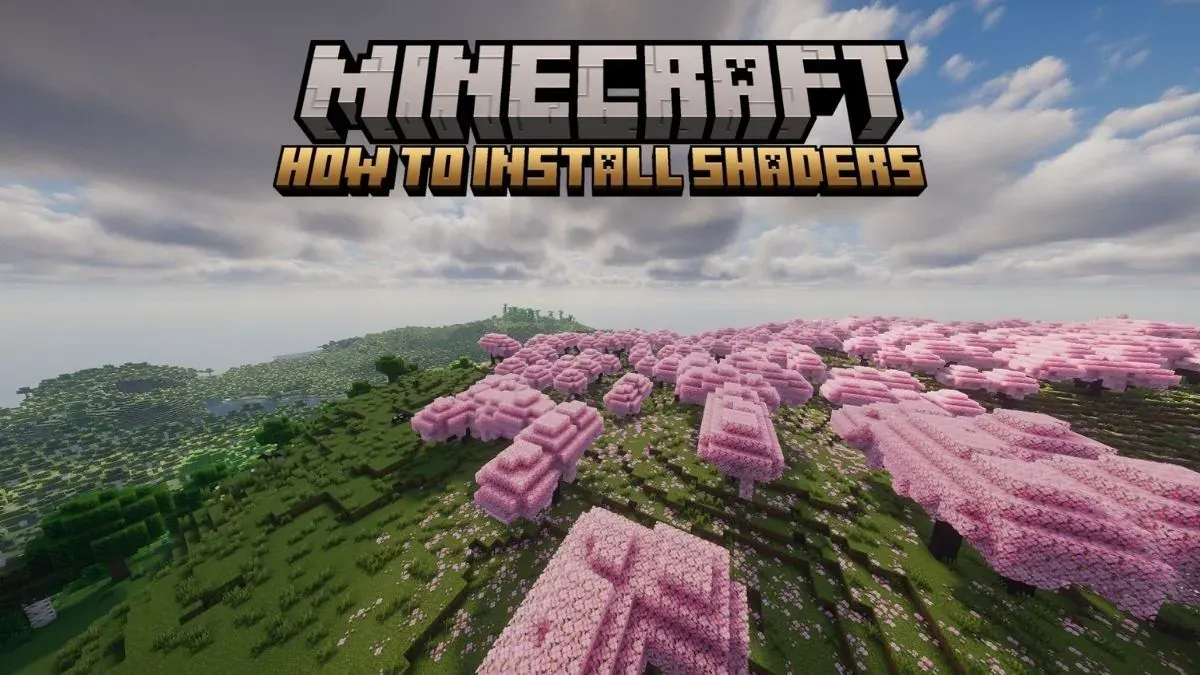
Shaders transform Minecraft's lighting with real shadows, waving water and glowing light. Here is what they change, why they are demanding, and the usual ways to run them.
Shaders are graphics add-ons that rewrite how Minecraft draws light, shadow and water, turning the game's flat brightness into scenes with long evening shadows, reflections on lakes and light that spills warmly from a torch. They change nothing about gameplay — every block, mob and rule stays the same — but they can make a familiar world look like a different game.
What do shaders actually change?
The big three are lighting, shadows and atmosphere. Blocks cast proper shadows that move as the sun crosses the sky, water becomes reflective and transparent instead of a flat blue slab, and light gains colour and fall-off, so caves feel genuinely dark and sunsets genuinely golden. Many shader packs also add waving grass and leaves, volumetric-style fog and god rays, depth of field and gentle camera motion. Underwater scenes, nether caverns and end cities are transformed just as much as surface landscapes.
Why do shaders hurt performance?
Because the game ends up drawing the world more than once. Real-time shadows mean rendering the scene from the sun's point of view as well as yours, reflections add further passes, and effects like bloom and depth of field work on the finished image every frame. All of that falls on your graphics card, and it scales with resolution and render distance. A PC that breezes through vanilla Minecraft can struggle with a heavy cinematic shader, while lighter packs are designed to run on modest hardware — there is a wide spectrum, and choosing where you sit on it is the main decision.
How do you run shaders in Java Edition?
Vanilla Java Minecraft has no built-in shader support, so players use one of two well-established routes. OptiFine is the long-standing option, a mod that adds shader support alongside other graphics tweaks. Iris is the modern alternative, built to work with the Fabric loader and commonly paired with Sodium for better base performance. Either way, the pattern is the same: install the platform, drop shader pack files into the shaderpacks folder, and select one from the video settings menu. Shaders can be switched or removed at any time without touching your world.
How do you choose a shader pack?
- Performance first — if your PC is modest, look for packs described as lightweight or potato-friendly.
- Art style — some packs aim for realism, others simply soften and warm the vanilla look.
- Settings — good packs expose quality levels and toggles, so you can trade effects for frame rate.
- Compatibility — check the pack supports your game version and your chosen platform, OptiFine or Iris.
Can Bedrock players use shaders?
Not in the same way. The shader ecosystem described here belongs to Java Edition on PC, where custom rendering code can be loaded freely. Bedrock has its own official graphics developments and some community texture-based tricks, but nothing with the same depth or variety. For many players, shaders are one of the strongest reasons to keep a Java installation alongside Bedrock.
Are shaders worth it?
If you spend time building, exploring or taking screenshots, yes — even a gentle pack makes torchlit builds and mountain views far more atmospheric, and turning it off again costs nothing. The sensible approach is to start with a light pack, raise the settings until the frame rate dips, and settle one notch below that. Your world saves are never at risk; shaders are purely a layer over the top.
Which settings should you tune first?
If a pack runs slowly, shadows are the first thing to lower — shadow resolution and shadow distance cost more than almost anything else. Next come reflections and water quality, then the post-processing extras such as bloom, depth of field and motion blur, which many players prefer switched off anyway. Render distance in the main game settings matters just as much as anything in the shader menu, because the shader has to light every chunk you ask the game to draw. Work through the options one at a time, checking your frame rate in the same spot each time, and you will quickly find the handful of settings your hardware actually minds. Most packs also ship with named profiles — low, medium, high, ultra — which give you a sensible starting point before fine-tuning.
Frequently Asked Questions
Do shaders change gameplay?
No. Shaders only change how the game is drawn — light, shadow, water and atmosphere. Blocks, mobs, physics and world saves are completely unaffected.
Why do shaders lower my frame rate?
Effects like real-time shadows and reflections require the world to be rendered extra times each frame, which loads the graphics card heavily. Lighter packs and lower settings reduce the cost.
What is the difference between OptiFine and Iris?
Both let Java Edition run shaders. OptiFine is the older all-in-one mod, while Iris is a Fabric-based loader usually paired with Sodium for stronger performance. Most shader packs work with both.
Can you use shaders on a low-end PC?
Yes, with the right pack. Lightweight shaders are made specifically for weaker graphics cards, and turning off shadows or lowering resolution helps further.