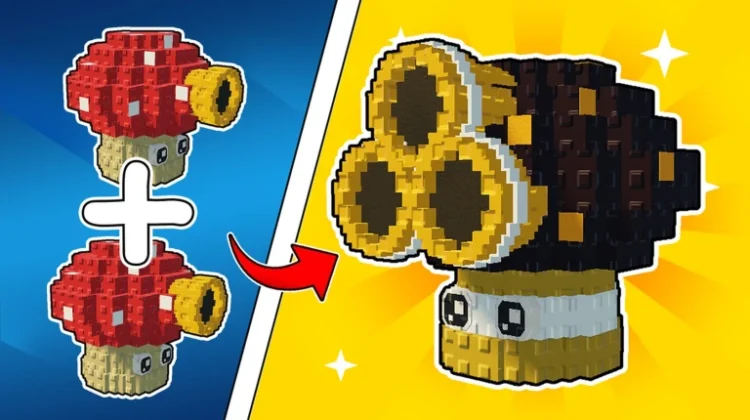
Merge and Fight takes the lane-defense formula of Plants vs. Zombies and drops it into Roblox, brainrots and all. You buy seeds from the conveyor belt, plant them in your garden, and merge matching plants into stronger variants that hold the line against waves of Brainrot enemies. Every brainrot you flatten earns cash — even while you’re offline — and that cash feeds back into belt upgrades and new seed unlocks.
Codes are the shortcut in all of this. A single redeem can land you a stack of damage potions, buckets for your plants, freeze grenades for when a wave gets out of hand, or a rare seed you’d otherwise be saving up for. The list below is every code we could confirm through more than one source.
All New Merge and Fight Codes
- update3: 5 Buckets, 1 Christmas Tree Seed, 2 Christmas Potions, and 2 Movement Potions (==NEW==)
- cactus: 2 Damage Potions, 3 Golden Buckets, 5 Freeze Grenades, and 2 Cactus Seeds (==NEW==)
- update1: Free rewards (==NEW==)
- sunflower: 5 Iron Buckets, 3 Small Speed Potions, 1 Sunflower Seed, and 3 Freeze Grenades
- mushroom: 1 Golden Bucket, 3 Small Damage Potions, 1 Mushroom Seed, and 3 Freeze Grenades
- pea: Free rewards
- plantsmerge: Brainrot Potion, Cactus Seed, and Gloves
- welcome: Damage Potion, 2 Buckets of Water, and a Shuriken
Don’t sit on these. Potions and grenades are consumables, so the earlier you bank them, the sooner they can carry you through the waves where your merged plants start to struggle. The welcome code in particular is a nice starter bundle for brand-new gardens.
Expired Merge and Fight Codes
Nothing has been officially retired yet — the game only launched recently, so this section is empty for now.
How to Redeem Merge and Fight Codes
- Launch Merge and Fight on Roblox.
- Tap the Store button on the left side of the screen.
- Open the Redeem Code tab inside the store panel.
- Type or paste a code from the list above into the text box.
- Hit the green Redeem button and the rewards drop straight into your inventory.
How to Get More Merge and Fight Codes
The developers print the newest codes right in the game’s description on its Roblox page, so a quick glance there before you play is always worth it. Joining the Mom One More Minute community on Roblox is another good move — members get an exclusive Plasma gun in-game, and code announcements tend to surface there early. Codes usually arrive alongside updates and like milestones (the game has literally promised a fresh code at its next likes goal), so those are the moments to watch.
Easier still: save this page and pop back whenever a new update lands. We recheck the list regularly and add fresh codes as soon as they’re confirmed.
Why Are My Merge and Fight Codes Not Working?
Double-Check for Typos: These codes are picky about capital letters, so a code typed in the wrong case will bounce even if every letter looks right. Copy and paste from the list above instead of typing by hand, and make sure no stray space sneaks in at the end.
The Code Has Expired: Merge and Fight’s developers can switch a code off without any announcement. If a code from the active list refuses to work and you’re certain you typed it correctly, it may have been quietly retired since our last check.
Try a Fresh Server: Occasionally a code fails on an older server session even though it’s still valid. Close the game completely, relaunch it so you land on a new server, and redeem again before writing the code off.
More Roblox Codes You Should Check Out
- Anime Avatar Fighting Codes
- Anime Ball Battles Codes
- Anime Fighting Simulator Codes
- Anime Fighting Simulator Endless Codes
- Avatar Fighting Simulator Codes
Conclusion
That’s every working Merge and Fight code we could verify right now — enough potions, seeds, and buckets to give your garden a serious head start. Redeem them before they vanish, keep merging toward those top-tier plants, and check back after the next update for whatever the developers drop next.
Leave a Reply